
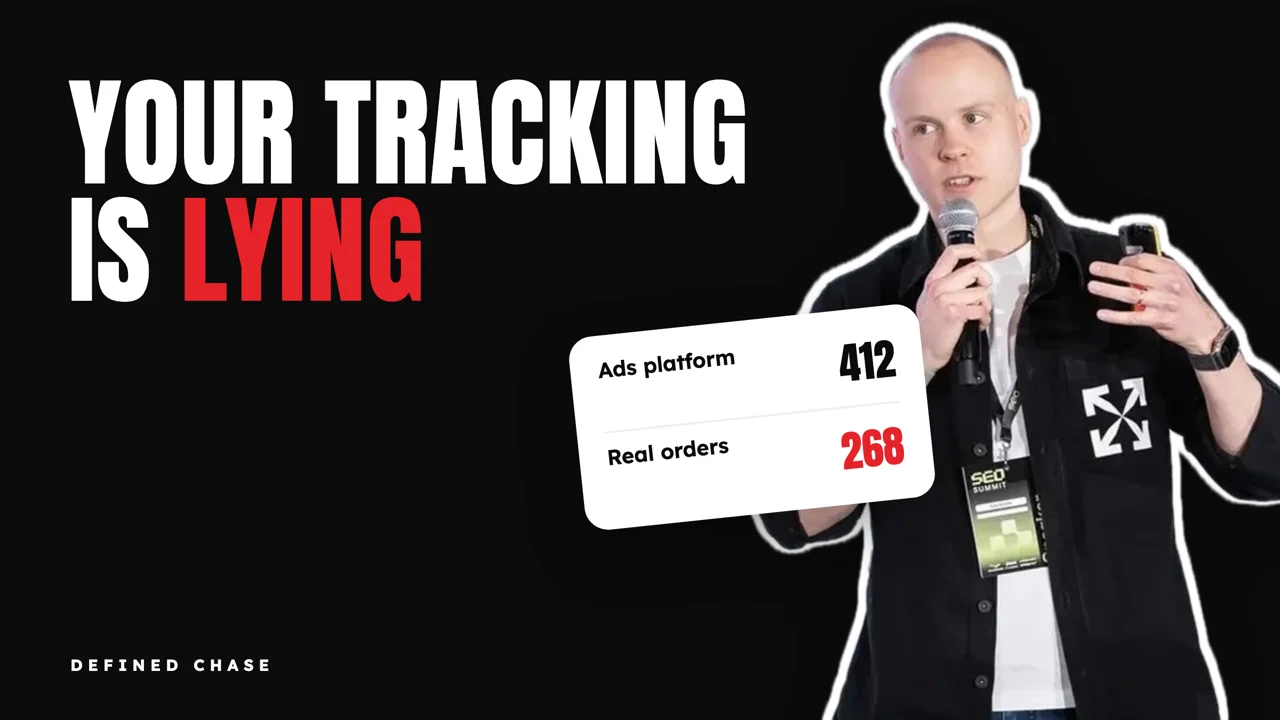
Short answer: your ad tracking is lying to you if the conversions reported by Meta, Google Ads and GA4 differ from your real orders, CRM deals or billing by a gap you cannot explain, or if that gap changes when spend changes. Test it with a 30-day daily reconciliation against your backend. The usual fixes are server-side tracking (server-side Google Tag Manager), the Meta Conversions API with deduplication, Google Enhanced Conversions, a correct consent mode setup, and offline conversion imports from your CRM. Fix it before you scale, because the platforms bid on whatever you send them.
This guide is for brands spending $100,000 or more a month on ads that are about to raise budgets and want to know if the numbers will hold. It is the check we run first in every engagement, because every later decision depends on it.
Signs your ad tracking is lying to you
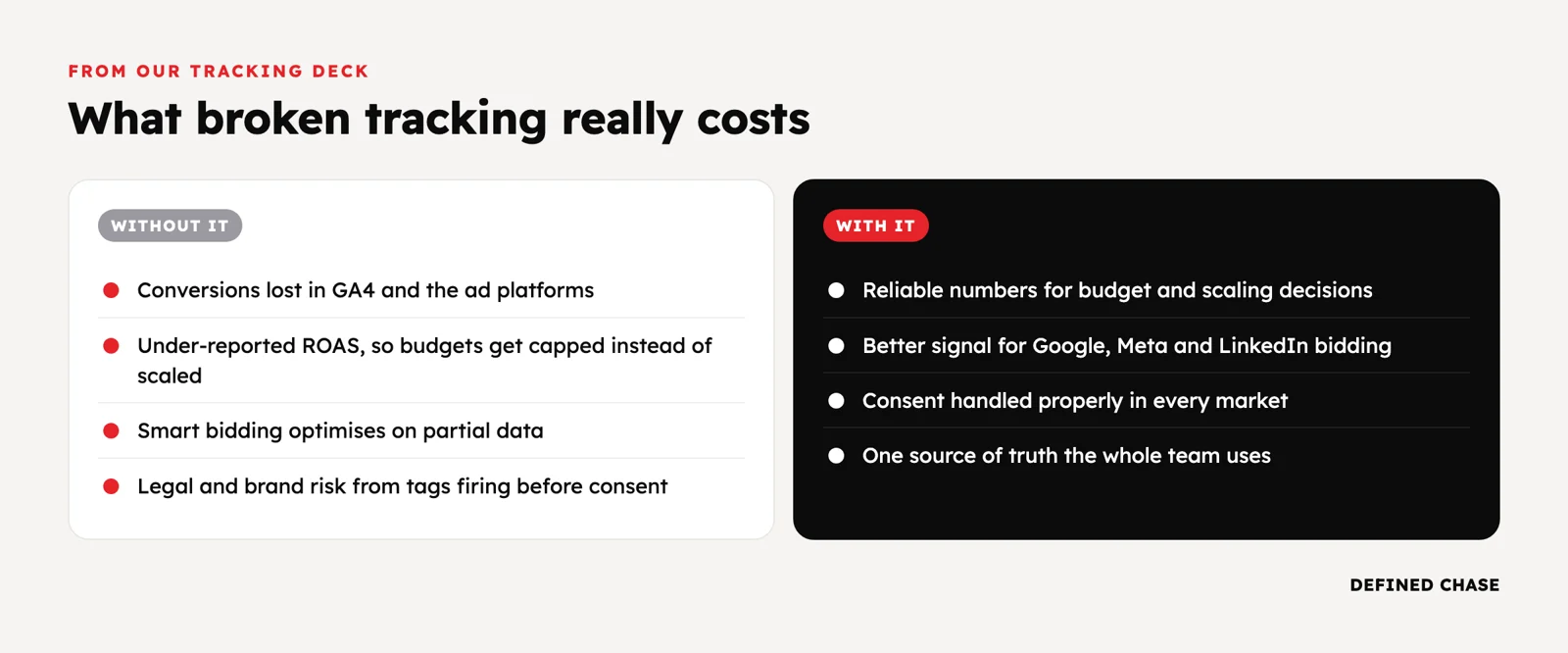
- The sum of platform-reported purchases is well above the orders in your shop or billing system.
- GA4 shows far fewer conversions than Google Ads or Meta, and nobody can say why.
- Reported ROAS went up after a tracking change, but revenue did not.
- Your CRM says lead quality is falling while the ad platforms say cost per lead is improving.
- Conversion volume dropped sharply after a site migration, a consent banner change or a move to GA4.
- Refunds, cancellations and existing customers are counted as new conversions.
- Different teams quote different numbers for the same week.
The 30-day reconciliation test
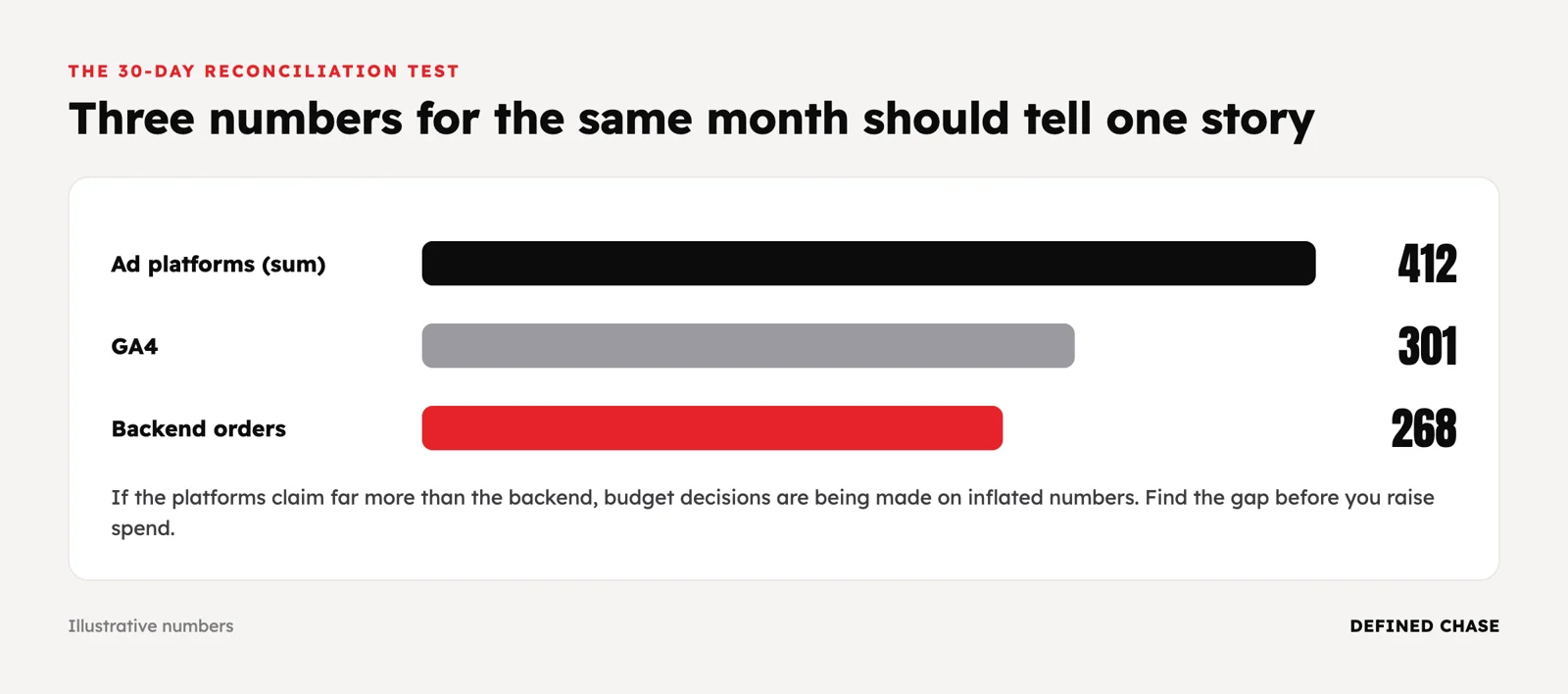
Pull daily numbers for the last 30 days from every source and put them side by side with your backend, the system that records real money.
| Source | What it counts | Common reasons it differs from the backend |
|---|---|---|
| Backend (shop, billing, CRM) | Real orders, paid subscriptions, closed deals | This is the reference; check refunds and test orders are handled |
| GA4 | Sessions and key events on your site or app, with its own attribution | Consent declines, ad blockers, broken tags, cross-domain or payment-page breaks |
| Google Ads | Conversions attributed to Google ad interactions, often by click date | Attribution window, modeled conversions, duplicate tags or imported GA4 events |
| Meta | Conversions after a click or view, deduplicated between pixel and Conversions API | View-through credit, missing deduplication, weak match quality |
Illustrative numbers, not a client result. A brand’s backend records 1,000 new paid orders in 30 days. GA4 shows 790. Google Ads reports 610 and Meta reports 1,040. Together the two platforms claim 1,650 purchases against 1,000 real ones.
- The GA4 gap of 21% is stable every day and lines up with consent decline rates. That is explainable and workable.
- Meta alone claims more than the backend total. A check shows the pixel and the Conversions API both send purchases without a shared event ID, so a share is counted twice.
- After deduplication, Meta’s number falls, its reported CPA rises, and the budget decision that looked obvious last month changes.
The rule we use: a stable, explained gap is something you can manage. A gap that moves with spend, campaign type or market is something you must fix before scaling.
Why GA4 and ad platforms never match exactly
- Attribution models. GA4 shares credit across channels; each ad platform credits itself.
- Windows and view-through. Meta can count a purchase days after someone only saw an ad. GA4 does not count views.
- Dates. Google Ads usually reports conversions on the date of the click, GA4 on the date of the event.
- Consent and blockers. Users who decline consent or block scripts are partly or fully missing, and some platforms fill gaps with modeled conversions.
- Time zones and currencies. Small settings differences add up across markets.
The goal is not identical numbers. It is knowing why they differ and which one you trust for which decision.
What is server-side tracking, and do you need it?
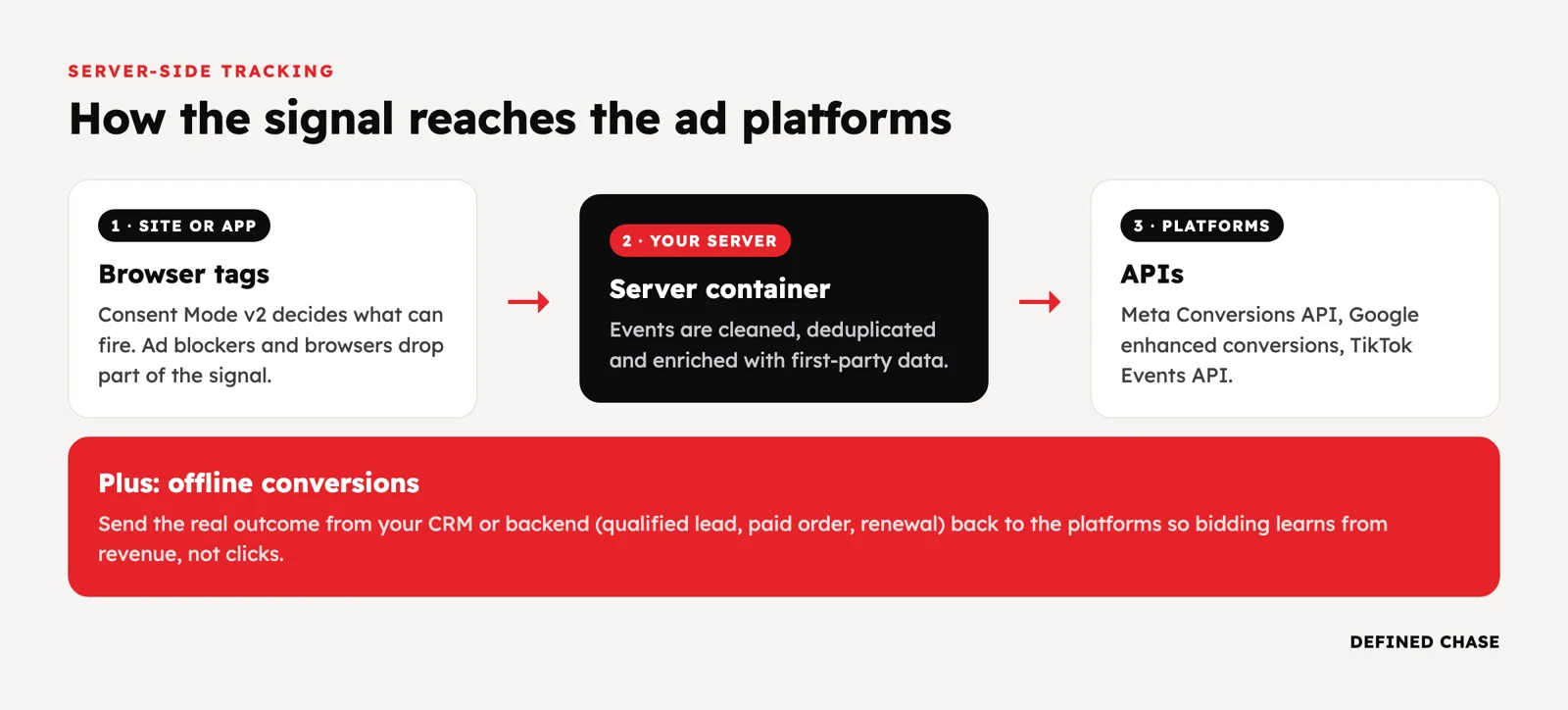
With standard client-side tracking, tags in the visitor’s browser send data directly to Google, Meta and others. With server-side tracking, the browser sends events to your own tagging server (for example server-side Google Tag Manager on your subdomain), and that server forwards them to each platform.
What server-side tracking improves
- Data quality and control. You decide what each platform receives, and you can enrich events with order value, margin or customer status.
- Durability. First-party collection is less exposed to browser restrictions and some ad blockers than third-party scripts.
- Site speed. Fewer third-party scripts run in the browser.
What it does not do
- It does not replace consent. If a user declines, you must respect that on the server too. Consent mode settings still apply.
- It does not fix a wrong event. If you send the wrong conversion, you now send it more reliably.
- It is not free. It needs hosting, maintenance and someone who owns it.
Meta Conversions API and Google Enhanced Conversions
The Meta Conversions API sends conversions from your server to Meta. Run it alongside the pixel and send the same event ID from both, so Meta deduplicates instead of double counting. Watch Event Match Quality in Events Manager: better customer data, hashed before sending, means better matching. Google Enhanced Conversions does the same job for Google Ads by sending hashed first-party data, such as email, with the conversion.
Offline conversions: send the real outcome back
For lead generation, subscriptions and anything with a sales team, the conversion that matters happens after the click: a qualified lead, a signed deal, a second payment, a refund. Send those back.
- Google Ads: import offline conversions or use Enhanced Conversions for leads, so bidding learns from qualified pipeline and revenue.
- Meta: send CRM stages through the Conversions API so campaigns can optimize to leads that turn into customers.
- Refunds and cancellations: adjust or retract conversions where the platform allows, so value-based bidding learns from net revenue.
What to fix first
| Your situation | Fix first |
|---|---|
| E-commerce, platform purchases above real orders | Deduplicate pixel and Conversions API; exclude refunds and test orders |
| Big drop after a GA4 migration or site change | Audit tags, consent and infrastructure end to end before touching campaigns |
| Lead generation with a CRM | Offline conversion imports for qualified and closed stages |
| Subscription or SaaS | Send paid conversions and renewals, not trials, as the optimization event |
| EEA traffic with consent banners | Consent mode configured and tested per market |
| Many domains or markets | One measurement plan and naming standard across all properties |
Common tracking mistakes before scaling
- Running the pixel and the Conversions API without deduplication.
- Importing GA4 key events into Google Ads while the native Google Ads tag also fires, so the same purchase counts twice.
- Optimizing to sign-ups or leads when only a small share become customers.
- Treating server-side tracking as a way around consent.
- Trusting modeled conversions without checking them against the backend.
- Nobody owning tracking, so it breaks quietly after each site release.
How we run it at Defined Chase
Every engagement starts with tracking checked against real sales, not just the ad platforms. We set up and audit tag manager, server-side events and offline conversions, and where code is needed, we write the instructions and the client’s developer ships them. Only then do we raise budgets, and only when an agreed Scale Gate holds on the client’s own data. We have run more than 80 audits since late 2023.
Two public examples from our case studies: a financial-services network lost roughly 95% of its reported marketing data after moving to GA4. Cross-checking event flows showed the real blocker sat in the security and infrastructure layer, not in GA4, and fixing it restored reliable numbers. For Telia Lietuva we audited GTM and GA4 across six public domains and documented a more consistent measurement structure.
See how we work, or book a free 90-Day Growth Map Call to find out whether tracking is the constraint on your next budget step.
FAQ
Is server-side tracking worth it?
For brands spending $100,000 or more a month, usually yes, because small signal losses become large bidding errors at that scale. It is worth it when someone owns it and the events it sends are the right ones.
Does server-side tracking bypass ad blockers and consent?
It can reduce losses from some blockers and browser restrictions, but it must not bypass consent. If a user declines tracking, that choice applies to server-side collection too.
Why does GA4 show fewer conversions than Google Ads?
Common reasons are different attribution models, Google Ads reporting by click date, modeled conversions in Google Ads, consent declines, and tags that break on checkout or payment pages. A stable gap is normal; a growing one needs checking.
Do I need the Meta Conversions API if I already have the pixel?
Yes, run both. The pixel captures browser events, the Conversions API sends server events that survive browser limits, and a shared event ID lets Meta deduplicate them.
What is an acceptable gap between ad platforms and real sales?
There is no universal number. What matters is that the gap is stable, explained and similar across campaigns and markets. If it moves when spend moves, fix it before you scale.
Updated 16 October 2026.
Want to scale your ad spend?
On a free Growth Map Call we find what is capping your ad spend and the next 1 to 3 steps.
Attend a Growth Map CallRelated articles
Implementing Advanced Tracking Solutions For Effective Analysis and Reporting
Discover the benefits of implementing advanced tracking solutions for better analysis and reporting. Enhance your business performance with data-driven insights.
Jun 26, 2024 · 25 min readAdvanced Campaign Performance Analysis Techniques for B2B Marketers
Discover advanced techniques for analyzing campaign performance in B2B marketing. Enhance your marketing strategies and drive better results with data-driven insights.
May 17, 2024 · 15 min read