

Short answer: Meta ads usually stop scaling past $100K a month for two reasons: Meta is learning from too little of your real data, and it is getting too few genuinely new ads. Fix the signal first: send purchases and qualified leads through the Conversions API alongside the pixel, deduplicate them, pass values and raise event match quality. Then feed the account a steady flow of new concepts, about 20% of Meta spend going to tests, with 1 in 10 ads winning and winners wearing out in 10 to 12 days. Keep the structure simple, keep customers out of prospecting, raise budgets 15 to 20% at a time and judge the result on backend new customers, not Ads Manager ROAS.
This guide is for brands spending $100,000 or more a month on paid media, with Meta as one of the main channels. It draws on 222 growth strategy calls with founders and marketing leaders, where tracking nobody trusts came up 145 times and a scale ceiling 85 times, plus what we find when we audit Meta accounts. If you are still deciding how many ads to make, start with our creative testing playbook. This page is about the whole Meta system at scale: signal, creative, structure, budget and measurement.
What we hear about Meta on growth strategy calls
The same complaints come up whether the brand sells skincare, software or app subscriptions:
- “Facebook works very strangely. You lower the budget, efficiency goes up; you raise the budget, efficiency drops.”
- “Meta’s ROAS is now 1.5, 1.3, 1.8. Really not inspiring.”
- “My Shopify sales figures differ significantly from what Meta shows.”
- “In the beginning we didn’t manage the pixel at all. Until we fixed the pixel, we didn’t even see the data.”
- “We are getting huge frequency.”
Each of these is a symptom. Efficiency falling as budget rises is normal up to a point, because Meta buys the cheapest customers first. But when it falls fast, the cause is almost always one of the six problems below.
Why Meta stops scaling past $100K a month
| Problem | What we find on audits | The fix |
|---|---|---|
| Meta sees too few of your conversions | Pixel only, no Conversions API. On one account 37% of conversions were not attributed to Meta; the setup estimate was about 40% more reported conversions and 13% lower cost per conversion once the Conversions API was live. Event match quality of 4.4 out of 10 on key events. | Browser and server events with deduplication, hashed customer data where consent allows, correct values |
| Optimising for the wrong event | Campaigns optimised for traffic or cheap leads, for conversion volume instead of value, or for an event that fires a handful of times a week | Optimise for the event closest to revenue that still reaches about 50 a week per ad set |
| Too few genuinely new ads | A few videos running for months, banners that all look alike, small edits passed off as new ads | A weekly batch of new concepts, each with its own hook, person and scene |
| Prospecting spends on people who already know you | Frequency close to 6 because existing customers were not excluded from cold campaigns, and a “remarketing” campaign that Advantage+ expanded into broad targeting | Exclude customers and recent buyers from prospecting, cap existing-customer spend, keep remarketing small and separate |
| Structure split too thin | Many ad sets with identical audiences, each with its own budget and three ads | Fewer campaigns and ad sets, so each one gets enough data to learn |
| Budget moved in big jumps | The budget doubled in one step and sales did not follow | Raise budget 15 to 20% at a time on proven ads, and read marginal cost per new customer |
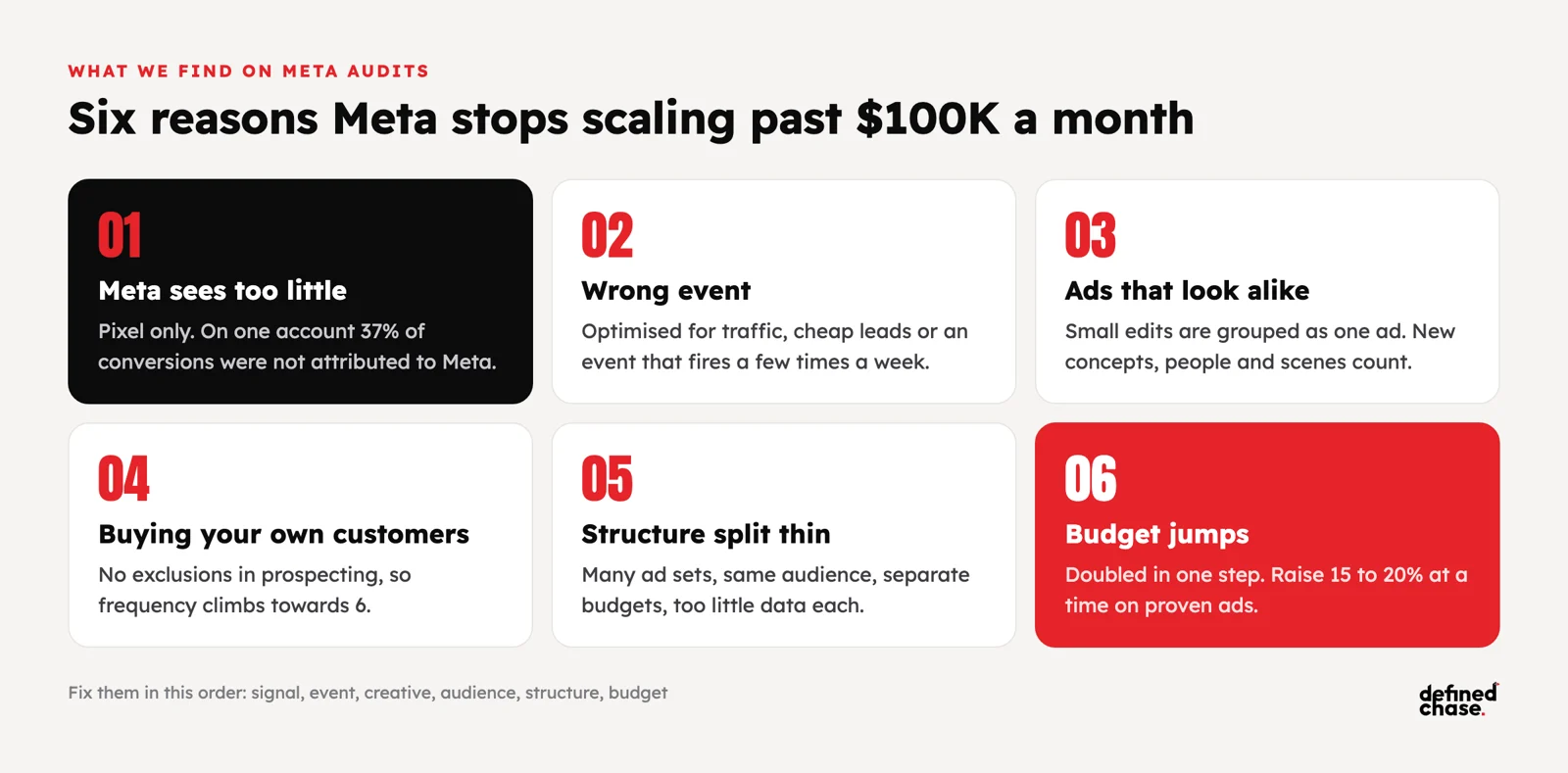
The order matters. More creative will not help if Meta cannot see who bought, and a cleaner structure will not help if every ad looks the same. We fix them in the order of the table.
Conversions API: what it fixes and what it does not
The Meta Conversions API (CAPI) sends conversion events from your server to Meta, next to the events the pixel sends from the browser. Browsers block or cut short a large part of pixel events, through ad blockers, cookie rules and iOS privacy limits. On the server side we have seen pixels miss around 40% of conversions. Without those events, Meta optimises on a partial picture: it under-reports results, so budgets get capped, and it learns the wrong lesson about which people buy.
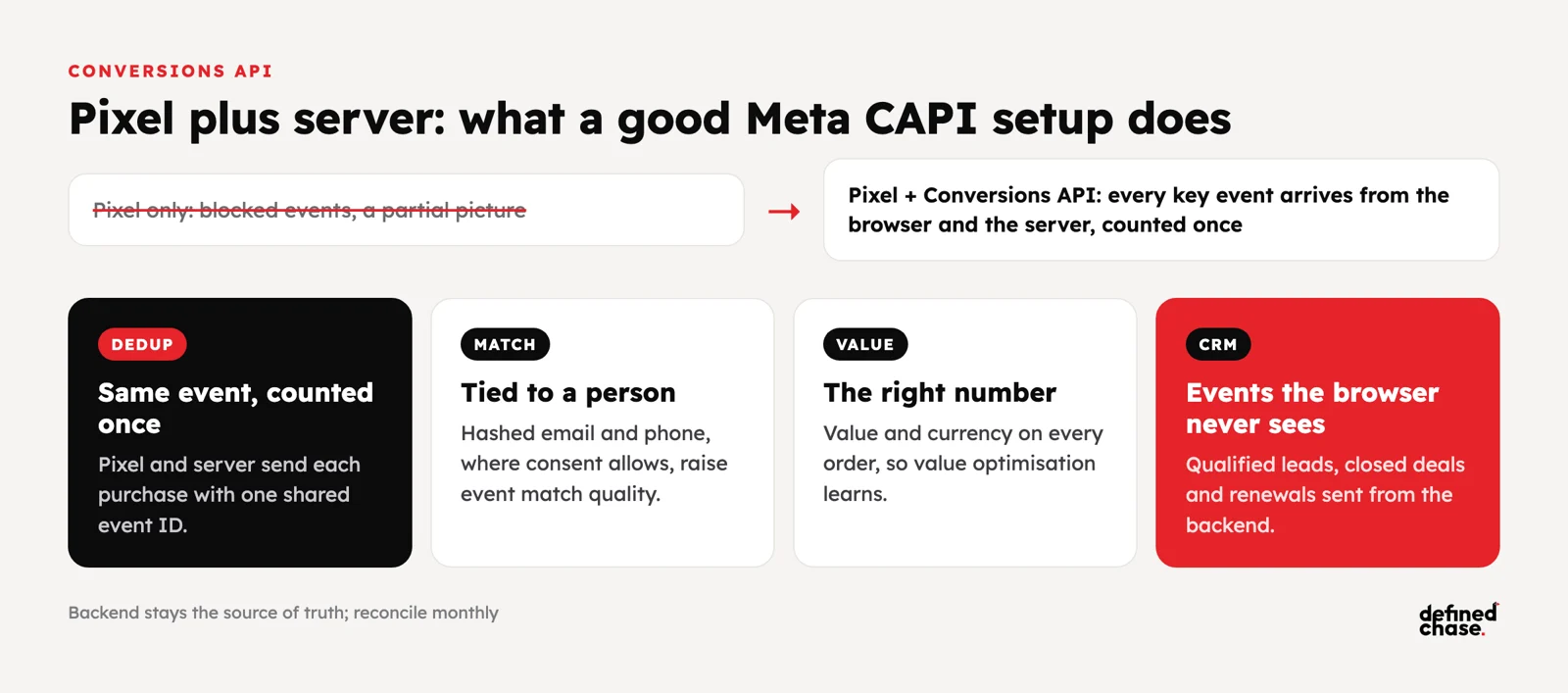
A good CAPI setup does four things:
- Sends the same event twice, counted once. The pixel and the server send each purchase with the same event ID, so Meta deduplicates it.
- Matches the event to a person. Hashed email, phone and other customer details, where your consent rules allow it, raise event match quality, so more events are tied to the people who saw the ad.
- Carries the right value. Purchase value and currency on every order, so value optimisation works. On audits we regularly find wrong purchase values.
- Adds events the browser never sees. Qualified leads, closed deals and renewals from your CRM or backend, so Meta can learn who turns into revenue, not just who fills in a form.
What it does not do: it does not make Ads Manager the truth. Meta will still claim customers that Google and TikTok also claim. You still need your backend as the source of truth and a monthly reconciliation. It also does not override privacy rules. On one audit, automatic advanced matching was sending contact data against the company’s own policy, so check consent and legal before you switch anything on. For the full tracking stack, see server-side tracking before you scale.
The Meta Conversions API checklist
| Check | Why it matters | How to verify |
|---|---|---|
| One pixel per site, browser and server pointing at it | We have seen the browser send to one pixel and the server to another, so neither side was complete | Events Manager: the same pixel ID receives browser and server events |
| Deduplication on every key event | Without a shared event ID, purchases are counted twice and results look better than they are | Events Manager deduplication status for Purchase and Lead |
| Event match quality on key events | Low match quality means fewer events tied to the people who saw the ad | Aim for “Good” or better on Purchase; add customer details your consent allows |
| Correct value and currency | Value optimisation learns from these numbers | Compare 20 orders in Events Manager with the same orders in your backend |
| One event per real conversion | Two events firing from one thank-you page split the signal | One Purchase event per order; retire old duplicate events |
| Offline and CRM events | Lead businesses need Meta to learn from qualified leads and deals, not raw form fills | Qualified lead and closed deal events arrive from the CRM with the original click data |
| Consent respected | Server events still need the consent the user gave | Test accept, reject and partial consent before go-live |
Creative volume: how many new ads Meta needs at $100K+
Once Meta can see your conversions, creative becomes the main lever. Meta’s ad system (its newer retrieval system is called Andromeda) groups ads that look alike and finds buyers through the differences between ads. A recoloured background or a new headline no longer counts as a new ad. A new concept, a new person, a new scene or a new opening does.
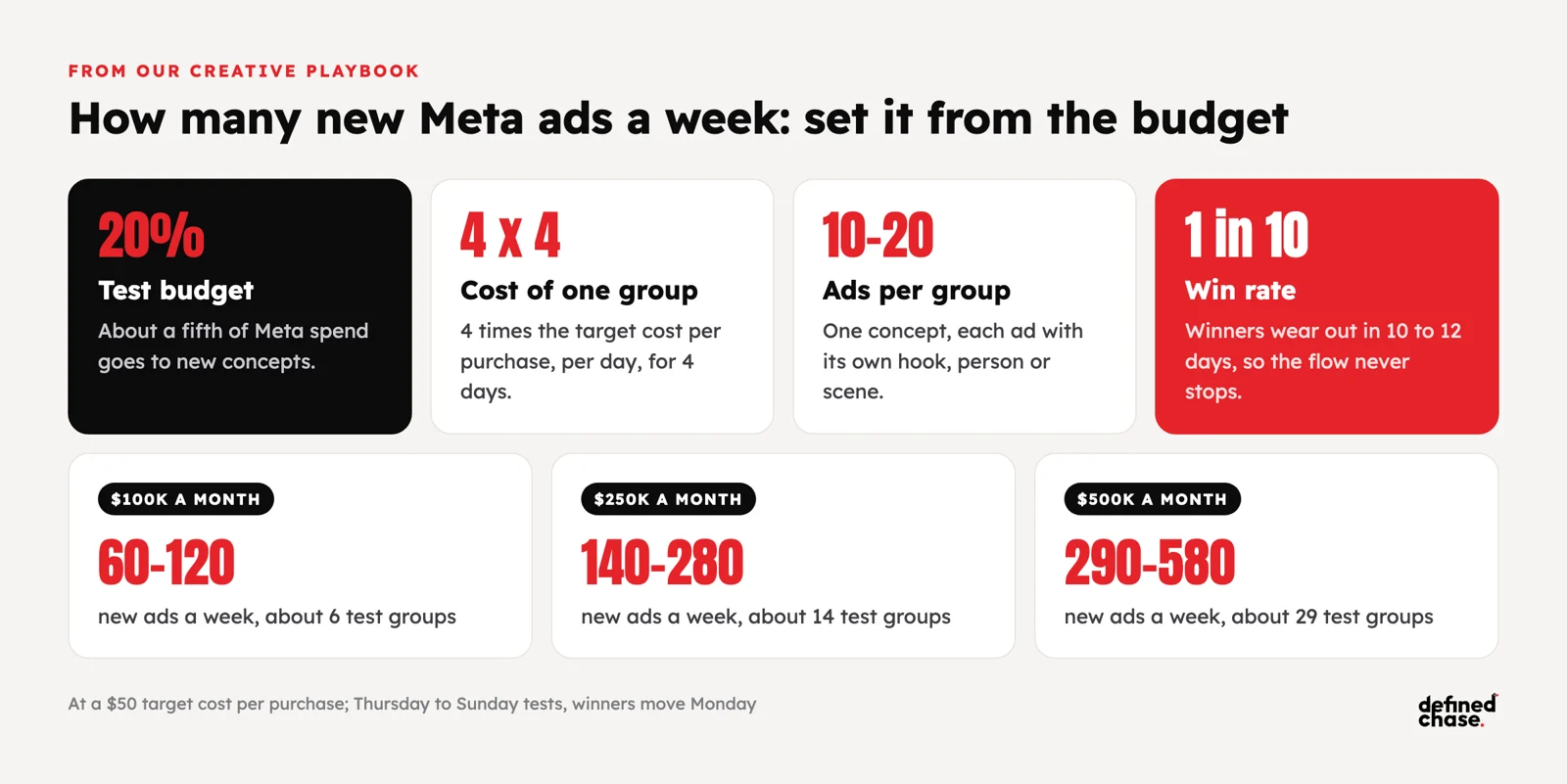
We set the weekly number from the budget, not from taste:
- Test budget is about 20% of Meta spend.
- One test group costs 4 times the target cost per purchase, per day, for 4 days (Thursday to Sunday).
- Test budget divided by the cost of one group gives the number of groups, each with 10 to 20 ads from one concept.
- Roughly 1 ad in 10 wins, and 1 in 20 in a new market. Winners now wear out in 10 to 12 days.
| Meta spend a month | Test budget a week | Test groups a week | New ads a week |
|---|---|---|---|
| $100K | about $4,600 | about 6 | 60 to 120 |
| $250K | about $11,500 | about 14 | 140 to 280 |
| $500K | about $23,000 | about 29 | 290 to 580 |
The table assumes a target cost per purchase of $50. A higher target means fewer, more expensive test groups. Next week’s batch is about 70% new ads on winning concepts, 20% on nearby angles and 10% completely new ideas. One shoot with several openings and three to five bodies gives many ads, as long as each one looks different in the first seconds.
Kill and scale rules we use on Meta
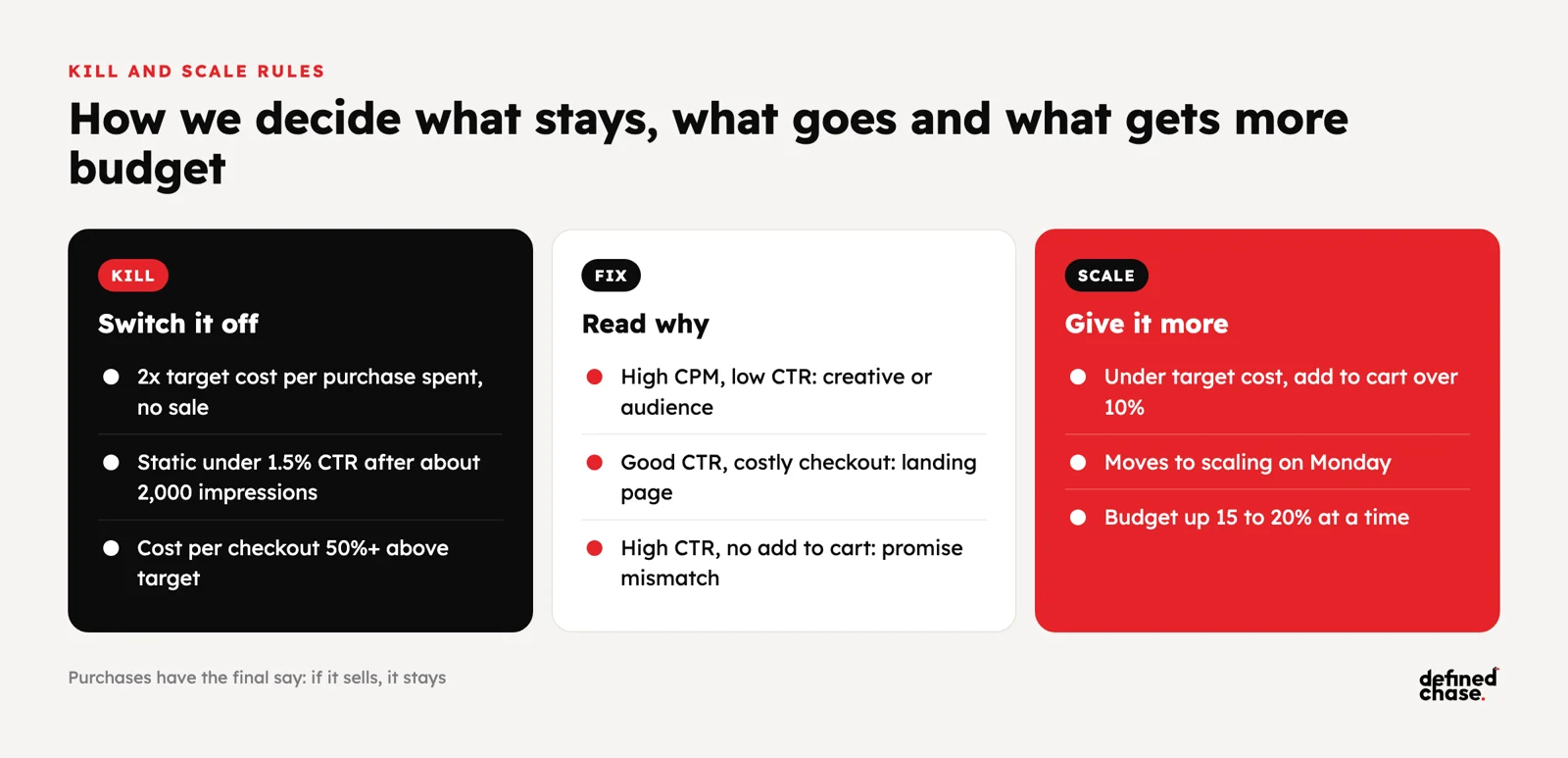
Ads are judged in this order: purchases first, then cost per checkout started, then add to cart, then hook and hold rate for video, and only then CPM, CTR and conversion rate to explain why something is not working. If it sells, it stays.
| Signal | Decision |
|---|---|
| Spent 2 times the target cost per purchase with no sale | Switch it off |
| Static ad under 1.5% CTR after about 2,000 impressions | Switch it off |
| Cost per checkout 50% or more above target | Switch it off; within target, keep it as a soft winner and watch purchases |
| Video hook rate under 20% or hold rate under 45% | New hooks on the same body, or the same hook with a new body |
| Cost per purchase under target, add to cart rate over 10% | Move to the scaling campaign on Monday |
| Proven ad holding its cost after the move | Raise its budget 15 to 20% at a time, not double it |
| Fatigue index over 140 (day-one CTR divided by today’s CTR, times 100) | Replace it with the next ad on the same concept |
Three quick diagnostics save weeks: high CPM with low CTR means the creative or audience is wrong; good CTR with a high cost per checkout means the landing page loses people; high CTR with no add to cart means the ad promises something the product page does not deliver.
Account structure that lets Meta scale
At this budget, simple beats clever. We run three kinds of campaign:
- Testing: new concepts in their own ad sets, Thursday to Sunday, on the test budget.
- Scaling: proven ads in broad or Advantage+ campaigns with existing customers excluded or capped, where most of the budget lives.
- Remarketing: small, separate and watched for frequency. When remarketing frequency climbed from 11 to 14 on one account, we widened the window to 90-day visitors and excluded the last 30 days.
Keep 180-day buyers and 120-day non-buyers out of the same ad set, so Meta does not mix their signals. Do not run five ad sets with the same audience and separate budgets. And remember that Meta’s automation will always look for the cheapest conversions first, which are usually people who already know you. If prospecting frequency climbs towards 6, the account is buying its own customers.
How to measure Meta past $100K a month
Judge Meta on new customers and cost per new customer from your backend, with brand and existing customers taken out. Ads Manager is useful for the decisions inside Meta, not for deciding how much Meta deserves.
- Know your attribution setting. On one account, a third-party attribution tool and Meta disagreed by about $18,000 until view-through conversions were included on both sides; then they matched within 4% (about $28K vs $29K). Neither number was wrong; they were measuring different things.
- Read marginal results. Compare the extra spend this month with the extra new customers it bought, not the blended average.
- Test incrementality before big steps. A conversion lift study or a geo holdout tells you what Meta adds on top of what would have happened anyway. On one account a post-view campaign showed the higher ROAS, but the lift could not be confirmed, so the budget did not move.
- Watch payback, not just the first purchase. On one subscription business users became profitable after 16 months, far beyond Meta’s 7-day click window. There, Meta should optimise for value events that predict long-term revenue.
For how this lands on the CEO’s page, see the CEO marketing report, and for why cost per customer rises as spend grows, see why customer acquisition cost rises.
A first 90 days for Meta at $100K+
| When | Focus | Done means |
|---|---|---|
| Days 1 to 14 | Signal | Conversions API live and deduplicated, one pixel, correct values, match quality “Good” on Purchase, backend reconciliation agreed |
| Days 15 to 30 | Event and structure | Optimisation event chosen by volume and value, testing / scaling / remarketing split, customers excluded from prospecting |
| Days 31 to 60 | Creative engine | 20% test budget, weekly batch live every Thursday, winners moved every Monday, kill rules applied |
| Days 61 to 90 | Scale | Budget raised in 15 to 20% steps on marginal cost per new customer, one lift test before the next big step |
To check what Meta really adds beyond what Ads Manager claims, run a conversion lift or geo holdout test. Our guide to incrementality and marketing mix modeling shows how to set one up.
How we run it at Defined Chase
Defined Chase runs paid media for brands spending $100K to $10M+ a month that want to spend more. On Meta we start with the signal: Conversions API, deduplication, values and CRM events checked against your backend, because every later decision depends on it. Then we run the creative engine from our playbook: a weekly test batch sized from your budget, winners moved to scaling every Monday, and kill rules applied every day. A strategy lead owns the full number with you and moves budget on marginal cost per new customer, not on Ads Manager ROAS. See how we run Meta ads for brands at this budget, or start with a free Growth Map Call to find what is capping your Meta spend.
FAQ
What is the Meta Conversions API?
A way to send conversion events, such as purchases and leads, from your server or CRM straight to Meta. It runs next to the pixel, recovers events the browser loses and lets you send events the browser never sees, such as qualified leads and closed deals.
Do I need the Conversions API if I already have the Meta pixel?
At $100K+ a month, yes. The pixel alone misses a large share of conversions because of ad blockers, cookie rules and iOS limits. On audits we have seen around 40% of conversions missing without server events. Run both, with deduplication.
What is a good event match quality score?
Aim for “Good” or better on your Purchase event in Events Manager. Scores around 4 out of 10 mean many events cannot be tied to a person. Adding hashed email and phone, where consent allows, is usually the biggest improvement.
How many new Meta ads do I need each week at $100K a month?
Usually 60 to 120 at a $50 target cost per purchase. Put about 20% of Meta spend into tests, budget each test group at 4 times the target cost per purchase per day for 4 days, and put 10 to 20 ads from one concept in each group.
How fast can I raise a Meta budget?
Raise proven campaigns 15 to 20% at a time and check marginal cost per new customer before the next step. Doubling a budget in one move usually raises costs faster than results.
Why does Meta ROAS drop when I increase the budget?
Meta buys the cheapest customers first, so each extra dollar reaches people who are harder to convert. A small drop is normal. A fast drop usually means Meta lacks conversion data, is short of new creative, or is spending prospecting budget on existing customers.
What is Meta Andromeda?
The name of Meta’s newer ad retrieval system, which picks which ads to show each person. In practice it rewards a wide range of genuinely different ads and groups look-alike ads together, which is why creative variety matters more than small edits.
Updated 21 October 2026.
How we do this for clients: Google Ads agency →
Want to scale your ad spend?
On a free Growth Map Call we find what is capping your ad spend and the next 1 to 3 steps.
Attend a Growth Map CallRelated articles
Mobile App User Acquisition Past $100K a Month: Google App Campaigns, Meta, TikTok and AppLovin
Short answer: to scale mobile app user acquisition past $100,000 a month, stop judging channels on cost per install and judge them…
Oct 16, 2026 · 6 min readWhen to Add DV360 to Google and Meta: A Programmatic Guide for $100K+ Budgets
Short answer: add DV360 (Display & Video 360, Google’s demand-side platform) when Google Ads and Meta still work but each extra dollar…
Oct 16, 2026 · 7 min readSaaS Advertising: Which Ad Platforms Scale a SaaS Company
Explore the top advertising platforms to effectively scale your SaaS startup, reach a wider audience, and achieve business growth. Maximize your marketing…
Jul 3, 2024 · 4 min read